| Recent Comments |
| Categories |
| Archives |
| Tags |
A next step in mastering Dorico (Saterday, 12 June 2026)
I have been using the music notation software Dorico for quite some time, but only recently started exploring it in greater depth. Dorico offers an impressive range of features for music notation and seamless integration with virtual instruments (VSTi’s) such as BBC Symphony Orchestra Pro and the EastWest libraries. At the same time, it has a fairly steep learning curve, and without a solid understanding of concepts such as expression maps, playback templates, and endpoint configurations, it can be challenging to integrate efficiently into a composing workflow.
For some time, I have been following the YouTube channel of Music Chef, where he explains his Dorico/Cubase workflow and demonstrates how he uses Vienna Ensemble Pro as a host for sample libraries. He also provides a toolkit that allows users to set up a similar environment on their own systems, which I have done successfully. I have written a separate post describing how Dorico, Cubase, and Vienna Ensemble Pro can be integrated and configured to work together.
In addition, Music Chef offers a Udemy course that explores Dorico configuration in much greater detail. The course covers topics such as expression maps, endpoints, endpoint projects, and playback templates, all of which are essential for creating a flexible and efficient orchestral workflow. I found the course extremely useful and it has already given me several ideas for improving my current setup. And yes, after working through all the lessons and exercises, I managed to earn the course certificate as well!
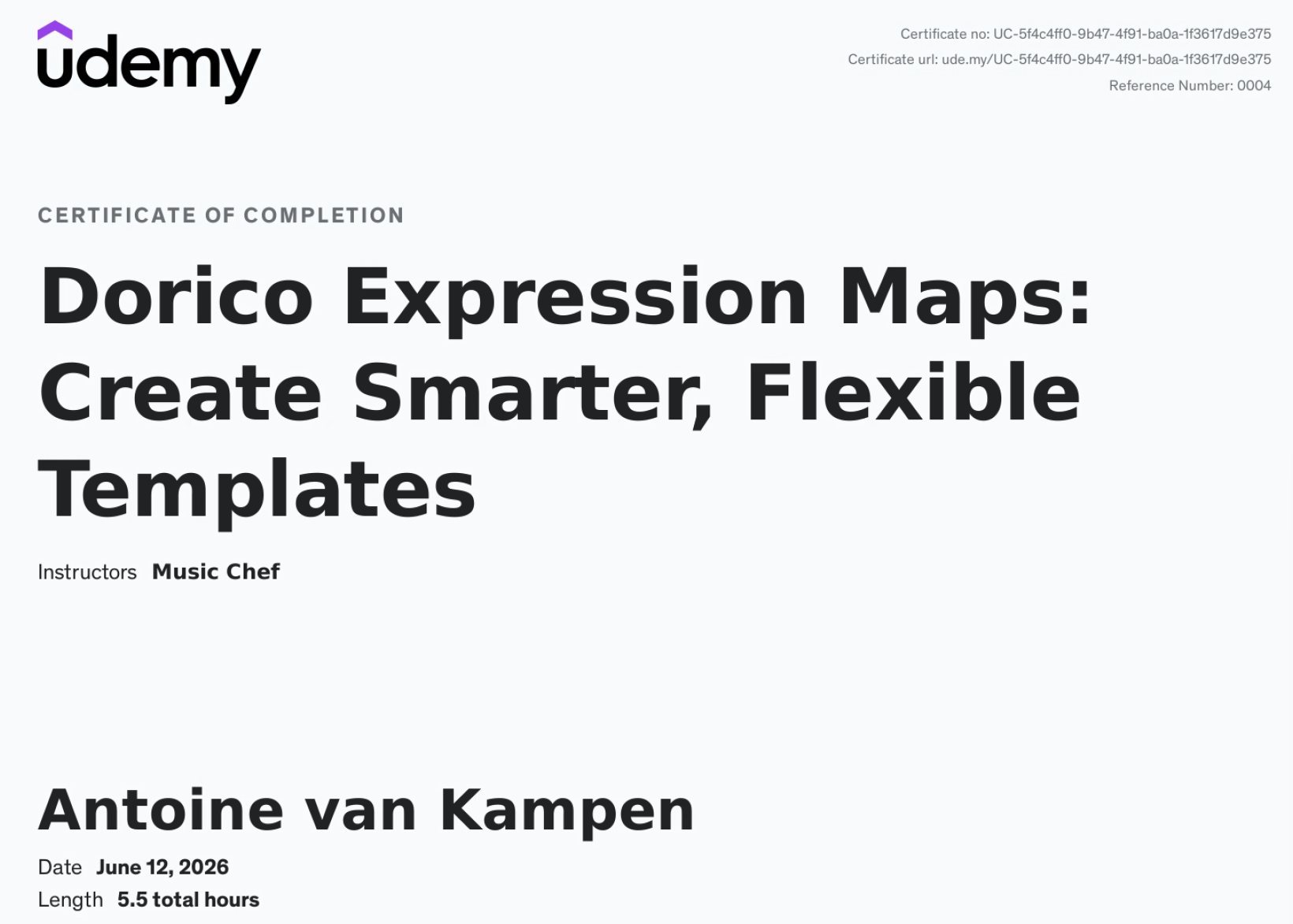
Udemy certificate
The software
Dorico
Dorico is Steinberg’s music notation software and serves as the starting point of my orchestral workflow. It combines traditional music engraving with sophisticated playback capabilities, allowing composers to hear realistic mockups directly from the score. Through expression maps, playback templates, and endpoint configurations, Dorico can automatically translate musical notation into the appropriate articulations and performance techniques of modern sample libraries. This enables the creation of highly realistic orchestral playback while maintaining a clean and readable score. Dorico is therefore much more than a notation program; it acts as the central hub for composing and orchestrating music.
Cubase
Cubase is Steinberg’s digital audio workstation (DAW) and is responsible for recording, editing, mixing, and mastering audio. While Dorico excels at notation and orchestration, Cubase provides a much more advanced environment for shaping the final sound of a composition. MIDI and audio can be edited in great detail, and a wide range of effects and mixing tools are available to create a polished production. In my workflow, Dorico is used for composing and orchestration, while Cubase is used to refine the performance and mix. The integration between both applications makes it possible to move efficiently from score writing to music production.
Vienna Ensemble Pro
Vienna Ensemble Pro 8 (VEP) is a professional host for virtual instruments and sample libraries. Rather than loading all instruments directly inside Dorico or Cubase, VEP allows them to be organized into large templates that remain loaded independently of the project. This significantly reduces project loading times and improves workflow efficiency, particularly when working with large orchestral libraries such as BBC Symphony Orchestra, EastWest Hollywood Orchestra, or the Berlin Series. VEP can also distribute the computational load across multiple computers and provides a stable environment for managing hundreds of instrument instances. In a modern orchestral workflow, VEP effectively serves as the bridge between the notation or DAW software and the underlying sample libraries.
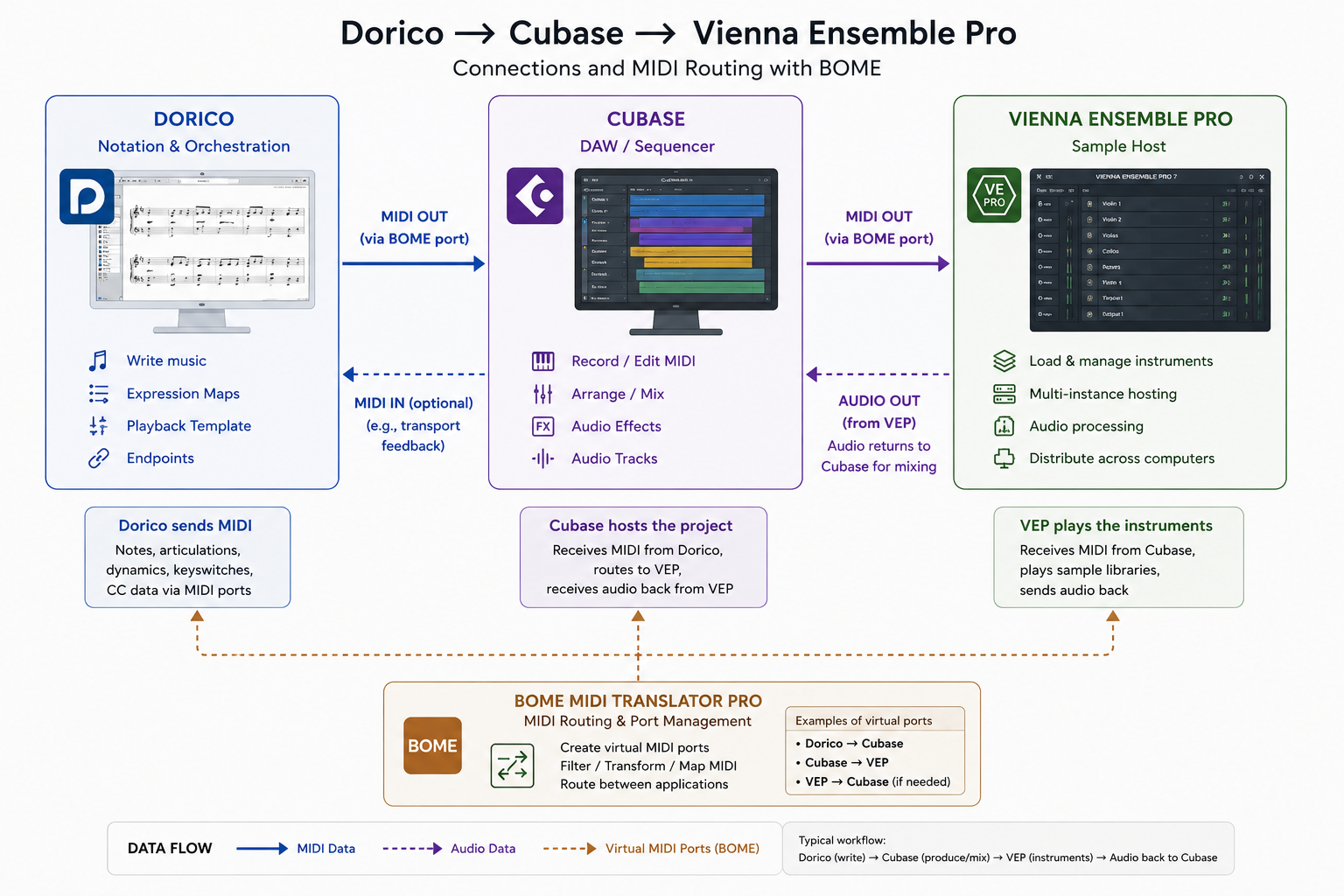
Integration of Dorico, Cubase, and Vienna Ensemble Pro. BOME MIDI is used to create virtual ports.
Dorico components
Expression Maps
Expression maps form the bridge between the musical notation in Dorico and the articulations available in a sample library. When a composer writes markings such as staccato, pizzicato, tremolo, or con sordino, Dorico itself does not know how these articulations should be triggered within a specific virtual instrument. The expression map defines this translation by associating musical symbols and playing techniques with MIDI messages such as keyswitches, MIDI controllers, or program changes. As a result, the same notation can automatically trigger the correct articulation in libraries such as BBC Symphony Orchestra, EastWest Hollywood Orchestra, or Berlin Strings. Well-designed expression maps are therefore essential for realistic playback and allow composers to focus on writing music rather than manually programming articulations. See also my post Understanding Dorico.
Endpoints
An endpoint represents the connection between a Dorico instrument and a specific instrument loaded in a virtual instrument or sample player. It defines which MIDI channel is used, which expression map should control the instrument, and how Dorico communicates with the loaded patch. For example, a Violin 1 staff in Dorico may be connected to a BBCSO Violins 1 patch running inside Vienna Ensemble Pro. The endpoint ensures that Dorico sends the correct notes, dynamics, and articulation changes to that patch. In larger templates containing dozens or even hundreds of instruments, endpoints play a crucial role in maintaining an organized and predictable playback configuration.
Endpoint Projects
An endpoint project is a dedicated Dorico project that is used to develop, test, and maintain the playback configuration for a specific instrument family, such as the string section comprising Violins 1, Violins 2, Violas, Celli, and Double Basses. The project contains all relevant playback components, including the required expression maps, endpoint configurations, playing techniques, playback techniques, and connections to the underlying virtual instruments or sample libraries.
In addition, the project typically includes a small number of test measures for each instrument, allowing articulations, dynamics, and playback behavior to be verified quickly after changes are made. Because the project is intentionally kept small and focused, it provides an efficient environment for developing new expression maps, adding articulations, troubleshooting playback issues, or extending support for additional sample libraries. Once the desired changes have been implemented and validated, the updated endpoint configuration can be saved and incorporated into the corresponding playback template. Endpoint projects therefore provide a structured and reusable way to maintain complex playback setups while ensuring consistency across multiple Dorico projects and significantly reducing setup time.
Playback Templates
Playback templates sit at the highest level of Dorico’s playback architecture. A playback template tells Dorico which endpoint configurations should be used for the instruments in a score and how those instruments should be assigned to available sample libraries. When a playback template is applied, Dorico automatically loads the appropriate endpoints, expression maps, and instrument assignments. For example, a BBCSO playback template can automatically connect all orchestral instruments to the corresponding BBCSO patches, while a custom template may connect Dorico to a Vienna Ensemble Pro template containing a mixture of BBCSO, Berlin Series, and EastWest instruments. Playback templates therefore provide the automation that allows complex sample-library setups to be configured with minimal user intervention.
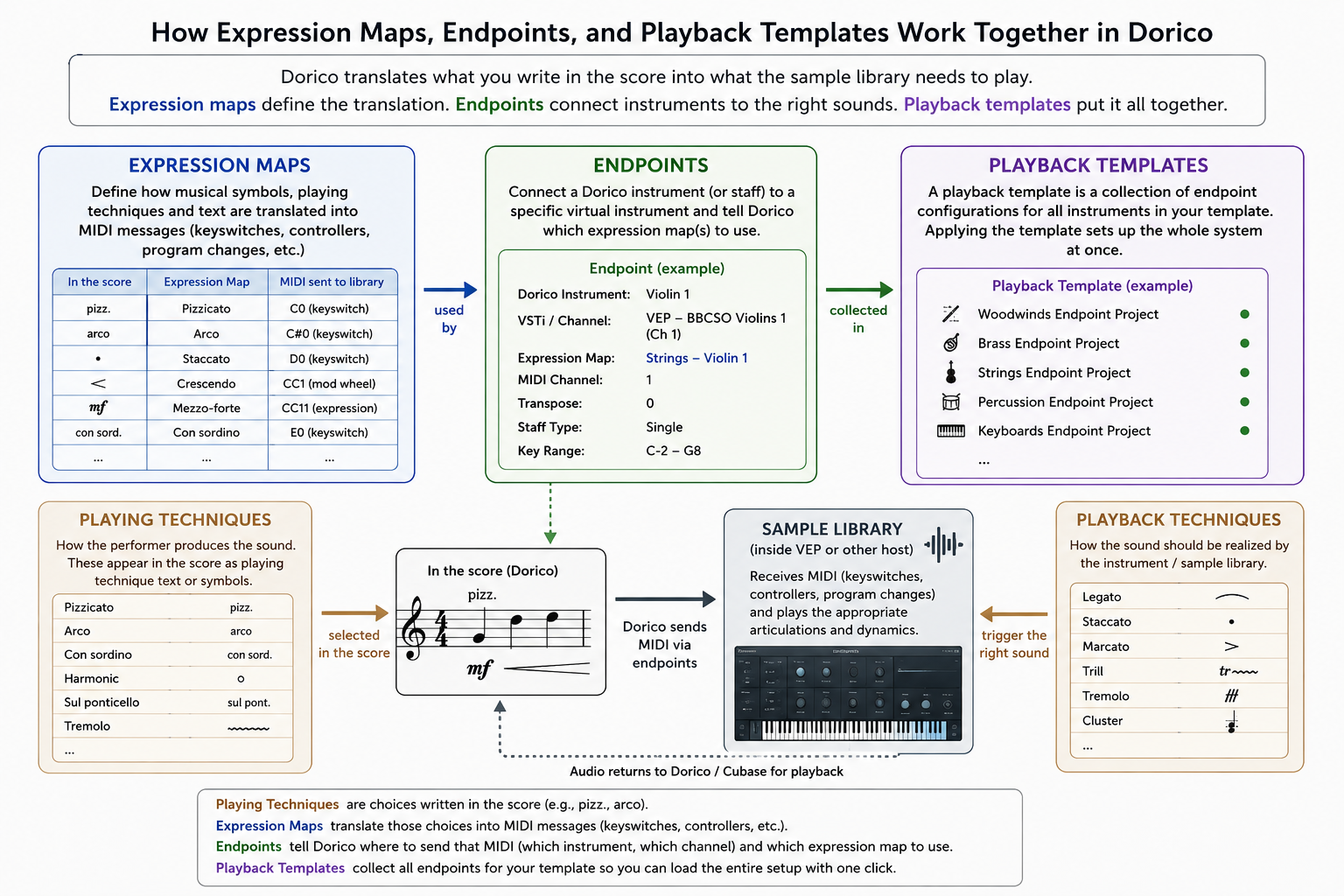
The relation between Expression Maps, Endpoints and Playback templates
Why Is RAM Memory Currently So Expensive?
For musicians and composers working with large orchestral sample libraries, memory requirements have increased substantially. Modern libraries such as BBC Symphony Orchestra Pro, Berlin Series, EastWest Hollywood Orchestra, and Vienna Symphonic Library can easily require tens or even hundreds of gigabytes of RAM when large templates are loaded. As a result, many users find themselves upgrading to 64 GB, 128 GB, 256 GB, or even more memory, making RAM one of the most significant hardware investments in a modern music-production workstation. My studio computer currently has 64 GB of RAM, which I want to increase but not today……it’s just too expensive!
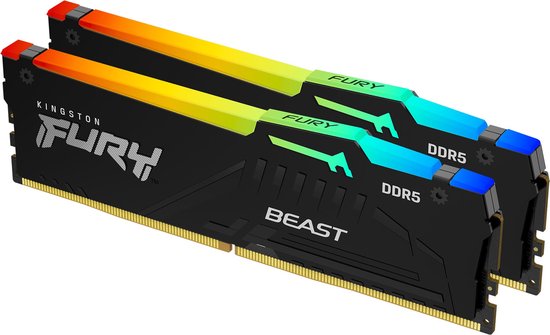
In recent years, the price of computer memory (RAM) has increased considerably, making memory upgrades a significant investment for users who work with demanding applications such as video editing, scientific computing, artificial intelligence, and music production. Several factors contribute to these higher prices.
First, the production of modern memory modules has become increasingly complex. New memory technologies such as DDR5 offer higher speeds, larger capacities, and improved energy efficiency, but they require advanced manufacturing processes and more sophisticated components. As a result, production costs are higher than for previous generations of memory.
Second, demand for memory has grown rapidly. Modern computers, AI applications, cloud computing platforms, gaming systems, and mobile devices all require increasing amounts of RAM. This growing demand places pressure on manufacturers and can lead to higher market prices, particularly during periods of supply shortages.
A third factor is market concentration. The global memory market is dominated by only a small number of manufacturers, making prices sensitive to production capacity, investment decisions, and fluctuations in supply and demand. Temporary disruptions in manufacturing or logistics can therefore have a noticeable impact on memory prices worldwide.