| Recent Comments |
| Categories |
| Archives |
| Tags |
Advantages of an external audio interface (Sunday 12 April 2026)
Most desktop computers and laptops have onboard audio; often Realtek-based. Although this onboard audio is sufficient to run DAWs like Cubase, there are multiple advantages of using a dedicated external audio interface.
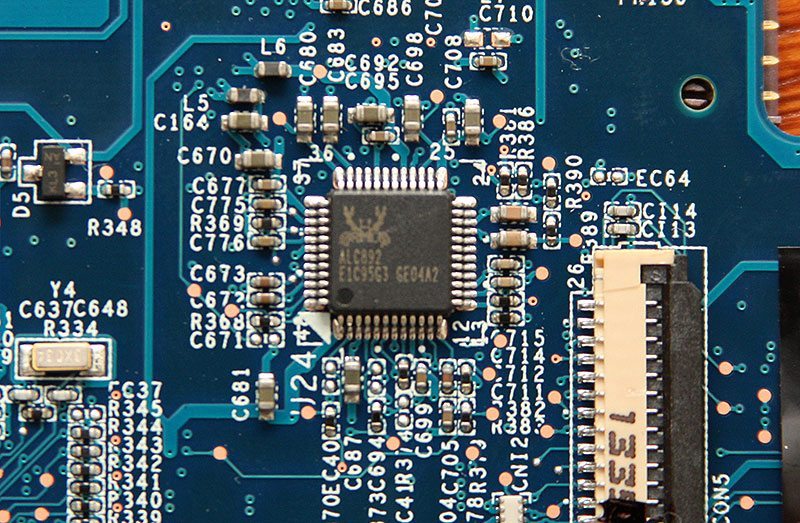 RealTek audiochip on PC motherboard
Realtek and other onboard audio
Realtek is a Taiwanese semiconductor company that designs and manufactures computer hardware components—mainly chips used in everyday electronics. The onboard audio you see in Windows as “Realtek High Definition Audio” comes from chips made by Realtek Semiconductor that are built directly into your motherboard (or laptop). These are called audio codecs and handle converting digital audio from your computer into analog signals your speakers or headphones can use, and vice versa for microphones.
A Realtek audio codec combines several functions in one chip:
- DAC (Digital-to-Analog Converter). Turns digital sound into analog output (what you hear)
- ADC (Analog-to-Digital Converter). Converts microphone input into digital data
- Amplification (basic). Provides enough power for typical headphones or line-out
- Signal routing. Manages front/back panel jacks, switching outputs, etc.
Common examples include chips like ALC887, ALC892, ALC1220—each with different quality levels.
Motherboard manufacturers use Realtek because these chips are cheap and compact, they are good enough for most users, and they integrate easily into standard PC designs. That’s why almost every consumer PC has Realtek onboard audio unless you use a dedicated sound card or external interface.
Sound quality: how good is it?
Realtek audio is generally fine for everyday use (music, YouTube, gaming, video calls), they have descent specifications (often 16–24 bit, up to 192 kHz). However, they are limited by motherboard design (shielding, power supply noise, and layout matter a lot). Higher-end codecs (like ALC1220) can actually sound quite good, but cheaper ones may have more background noise (hiss), less dynamic range, and weaker headphone output.
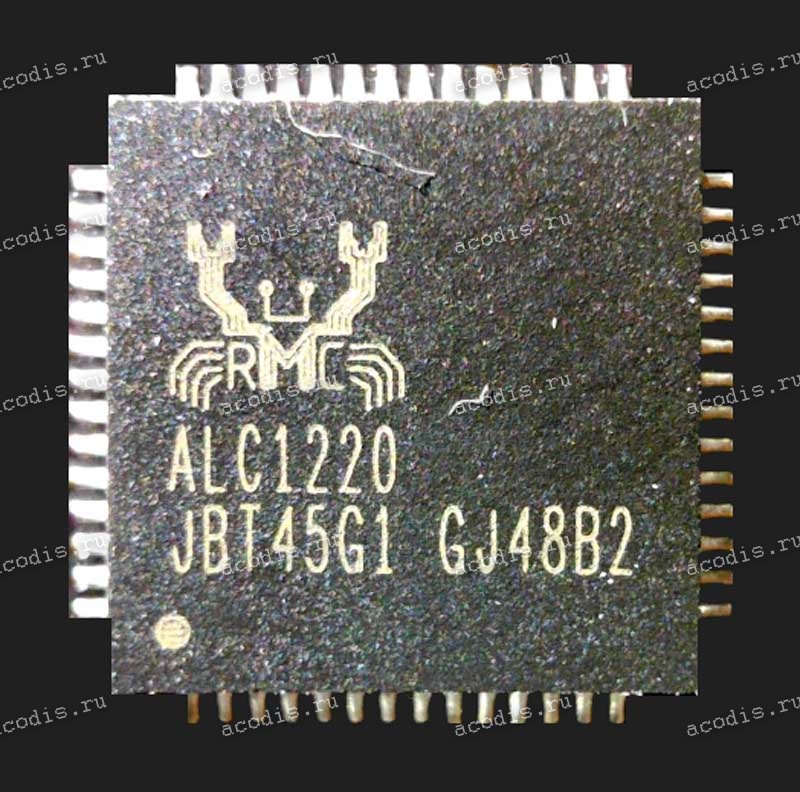
RealTek ALC1220
Drivers and software in Windows
When you install Realtek drivers, you usually get a Realtek Audio Driver to make the hardware work properly and a Realtek Audio Console to configure speakers (stereo, 5.1, etc.), adjust EQ and effects, detect jack connections, and enable enhancements. Windows can also use a generic driver, but Realtek’s own driver gives more features.
Typical limitations
Compared to dedicated (professional) audio gear, onboard Realtek audio can have:
- Higher latency (not ideal for real-time music production)
- Weaker headphone amplification (struggles with high-impedance headphones)
- Electrical noise (especially on cheaper motherboards)
- Less precise recording quality
I use an external audio interface (Behringer X32) but also have a Focusrite Scarlett 4i4 and the Steinberg UR44c. Not sure if it helps but I disabled the onboard audio devices (Realtek (R) Audio) and the NVIDIA audio devices (NVIDIA High Definition Audio, NVIDIA Virtual Audio Device) in de Windows Device Manager. I also disabled all unused Playback and Recording devices in Windows Sound Settings (C:\Windows\System32\mmsys.cpl). It is possible to disable the onboard audio device in the UEFI, which I didn’t do in case I still would like to use the onboard audio (see also computer configuration).
Windows Audio
A few words about Windows audio, on which I am not an expert at all.
MME (Microsoft Multimedia Environment), WDM (Windows Driver Model) and WASAPI (Windows Audio Session API ) are Windows drivers. MME is often the default selection since it is supported by most Windows OSs (MME was released in 1991). If you select any of these types your audio is passed to the OS which then hands it on to the interface. Between DirectSound and WASAPI there is not a big difference, as DirectSound is basically just a DirectX-related Interface to the Windows Audio Session API (WASAPI) underneath. WASAPI features the lowest latency of all (by design) and therefore should be preferred for recording (especially when it comes to multi-track).
The difference between WDM-KS and WASAPI is that the former has a lower-level interface for enumerating and configuring devices. But when it comes to the audio buffers themselves, both should provide direct access to hardware memory (if applicable).
ASIO. The audio driver standard ASIO (Audio Stream Input/Output) was developed by Steinberg. ASIO is supported by all well-known manufacturers of audio interfaces and is required by practically all professional audio programs under Windows, partly because of its low latency. ASIO allows the application (e.g., DAW) to communicate directly with the (external) hardware interface, without the OS as intermediary. This can give excellent low latency performance but it also explains why they tend not to be multi-client: the idea is that the application completely takes over the interface, which means only one app at a time. Note that ASIO4ALL (see below) solves this issue.
Realtek ASIO: A software wrapper or native driver that allows consumer-grade Realtek hardware to act like professional ASIO equipment.
ASIO, WASAPI Exclusive, and WDM-KS are all bit-perfect as far as a typical software stack is concerned, so there shouldn’t be any difference between them. MME, DirectSound and WASAPI Shared do not provide bit-perfect guarantees.
See also Streaming Audio.
External Audio Interface
Using a dedicated audio interface like a Focusrite Scarlett instead of built-in audio (e.g. Realtek) makes a difference in Cubase (and other DAWs) especially once your projects get even slightly complex. The advantages aren’t just “a bit better sound”. It also affects stability, latency, and workflow.

External audio interface: Focusrite Scarlett 4i4
Much lower latency
Built-in sound cards typically have high latency because they rely on generic drivers. That means a delay between playing a MIDI keyboard or recording audio and hearing it back.
Audio interfaces use optimized ASIO drivers, letting you run very small buffer sizes. The result is near real-time response, which is essential for:
- playing virtual instruments
- recording vocals or instruments
- conducting or working in sync (e.g., relevant with Dorico/Cubase setups)
Stable ASIO drivers (fewer glitches and dropouts)
Realtek drivers are not designed for professional audio workloads. In Cubase, that often leads to:
- crackling
- dropouts
- sudden spikes in CPU usage
Interfaces like Focusrite are built specifically for DAWs, so you get much more stable performance, especially with larger templates or Vienna Ensemble Pro setups.
Better audio quality (cleaner recordings and playback)
Built-in audio chips are designed for general use, not high fidelity. A dedicated interface gives:
- higher quality digital-to-analog (DAC) and analog-to-digital (ADC) conversion
- lower noise floor
- better dynamic range
This matters a lot when recording microphones or mixing orchestral templates.
Proper inputs for recording (mic/instrument level)
Realtek inputs are usually noisy and not designed for real microphones or instruments.
An interface provides:
- XLR inputs for microphones
- preamps with gain control
- phantom power for condenser mics
- instrument (Hi-Z) inputs for guitar/bass
Without this, recording quality is severely limited.
Direct monitoring (zero-latency recording)
Most interfaces let you monitor input directly before it goes through Cubase. That means:
- no delay while recording
- more natural performance
With onboard audio, you’re stuck monitoring through the software (and its latency).
Better routing and control
Interfaces often include control software where you can:
- route signals flexibly
- create monitor mixes
- manage multiple outputs
This becomes important if you expand your setup (e.g., Vienna Ensemble Pro, multiple speakers, etc.).
Expandability and reliability in larger setups
If you’re already working with tools like Vienna Ensemble Pro or large orchestral templates, built-in audio becomes a bottleneck quickly. A proper interface
- handles higher sample rates and buffer tuning
- integrates better with professional workflows
- scales with your setup
In the Table below there is a qualitative comparison of different drivers (generated by chatGPT):
| Feature | Windows Audio | ASIO4ALL | Cubase Generic ASIO | Dedicated Interface |
|---|---|---|---|---|
| Latency | High | Medium | Medium | Low |
| Stability | Medium | Medium | Good | Excellent |
| CPU efficiency | Low | Medium | Medium | High |
| Multi-channel I/O | Limited | Limited | Limited | Full |
| Recording quality | Depends on sound card | Depends on sound card | Depends on sound card | High |
| Driver support | Generic | Wrapper | Generic | Optimized |
Cubase Generic ASIO
The Steinberg built-in ASIO Driver is a universal ASIO driver for Windows that works with a wide range of audio interfaces. Its main purpose is to make it possible to use interfaces that don’t have native ASIO support – usually integrated sound chips on mainboards – with Steinberg software as Cubase, Dorico, Nuendo and WaveLab. It can also be used with any other audio application that requires an ASIO driver.
ASIO4ALL
A common misconception is that ASIO4ALL is a real ASIO driver. It isn’t. ASIO4ALL is essentially a wrapper around Windows audio drivers; like Realtek ASIO. It tricks software into thinking there is an ASIO driver. ASIO4ALL uses a low-level Windows audio API known as Kernel Streaming (also called “DirectKS”, “WDM-KS”) to operate.
Advantages:
- Free.
- Better latency than MME/WDM.
- Useful when no ASIO driver exists.
Disadvantages:
- Can be unstable.
- Higher latency than true ASIO.
- Sometimes causes dropouts and device conflicts.
The built-in Cubase driver is generally better than ASIO4ALL on modern Windows systems.
An alternative is FlexASIO
Links
- ASIO Goes Native (Sound On Sound; 2025)